How do I create a Help Desk login?

Modified on Thu, 14 Nov, 2024 at 10:16 PM


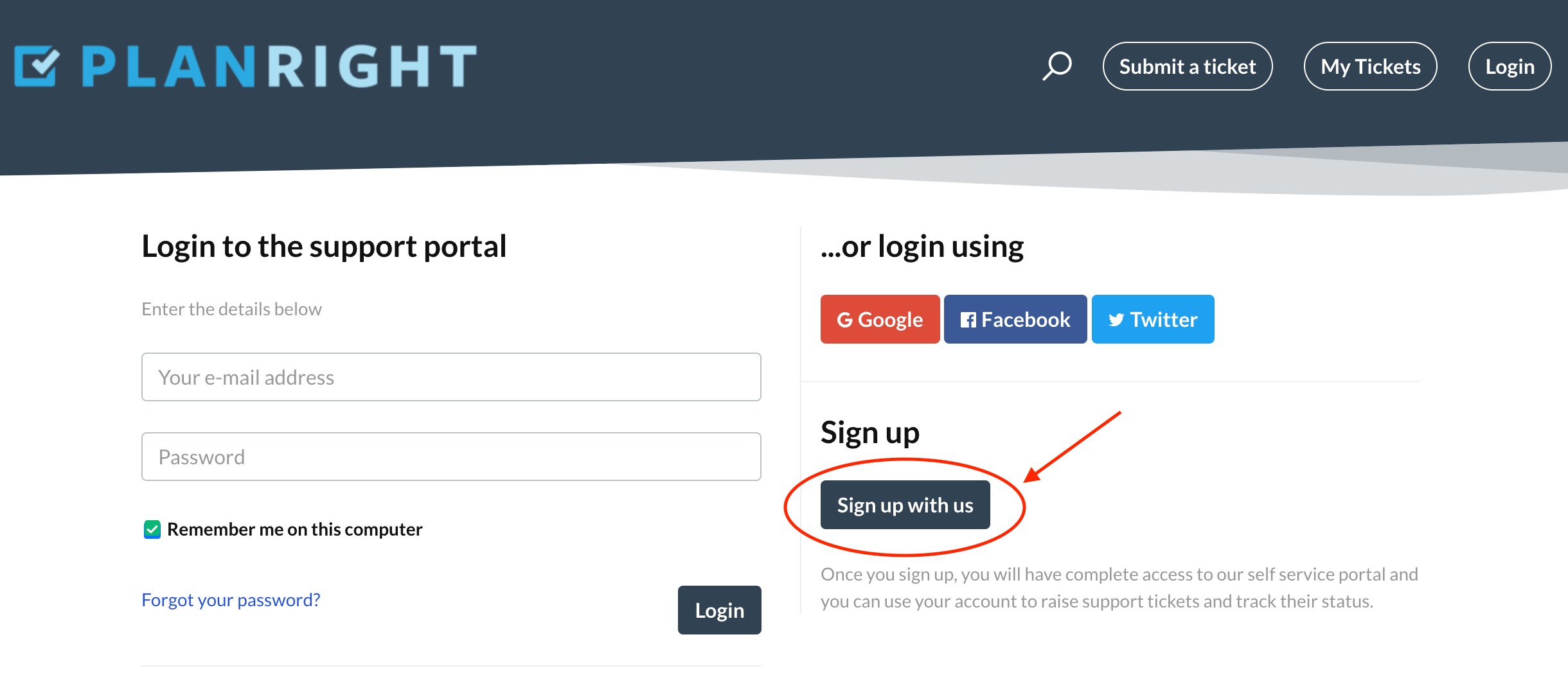
Click on "Sign up with us".


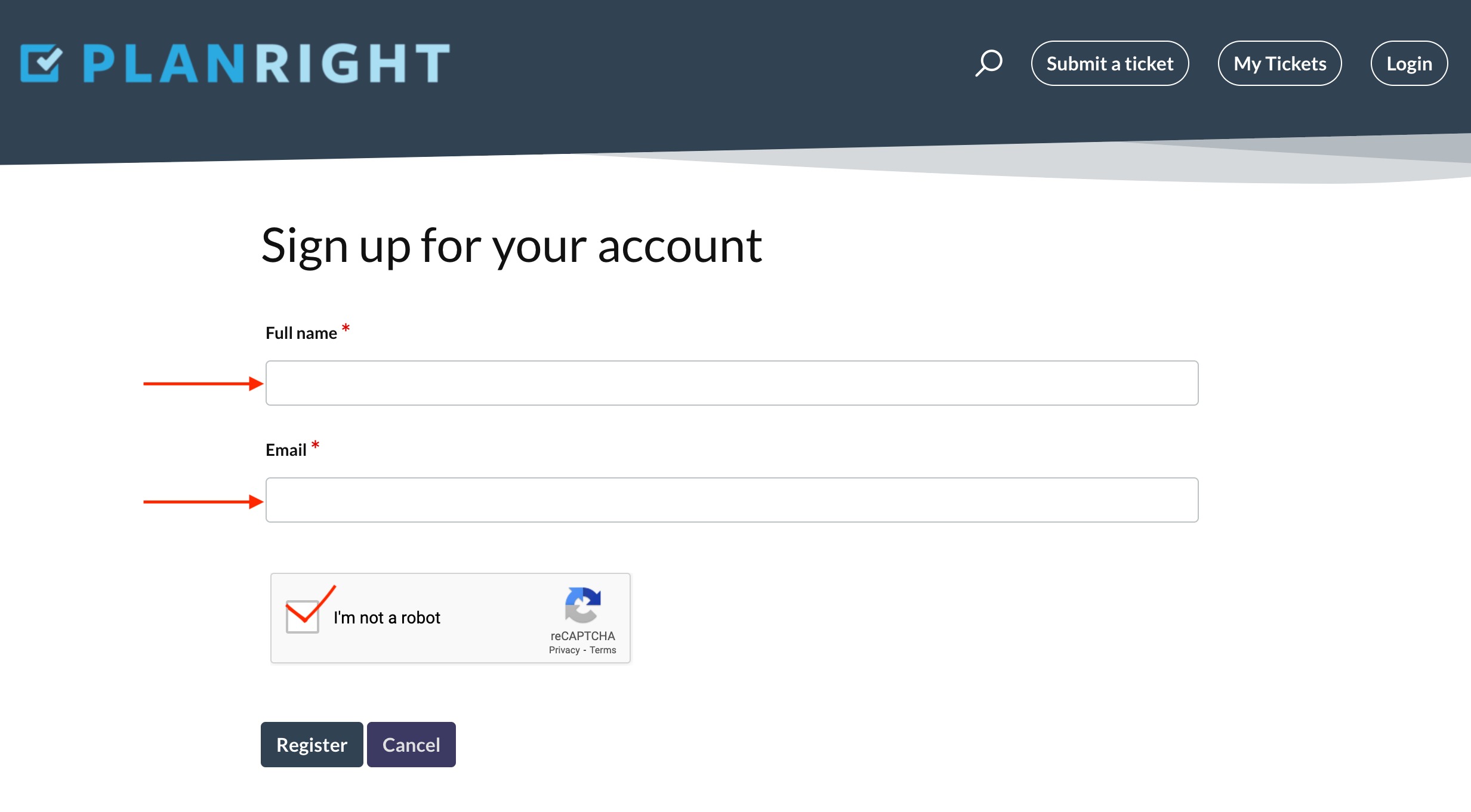
Enter your Full name and Email address and click on “I’m not a robot” and complete the test for this.


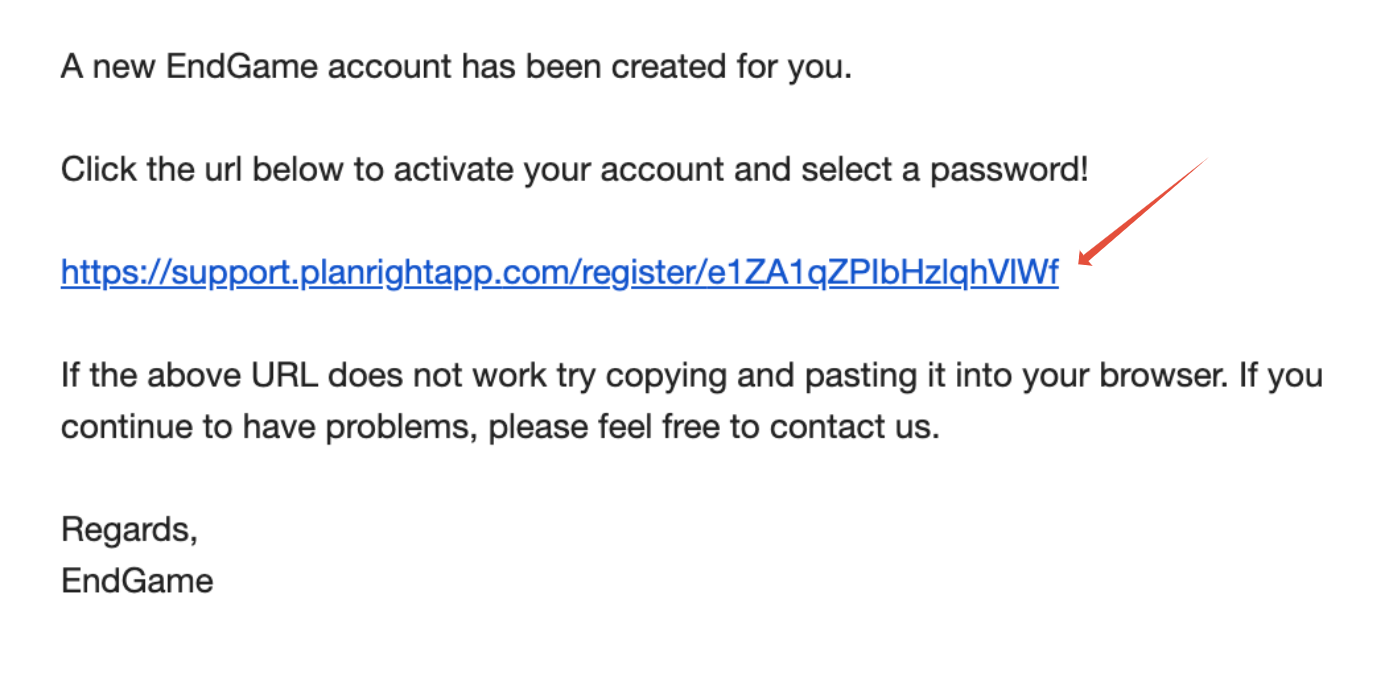
Check your email.  

There will be one from PlanRight titled 'Subject: EndGame user activation’.

Follow the instructions on the email, clicking on the url.


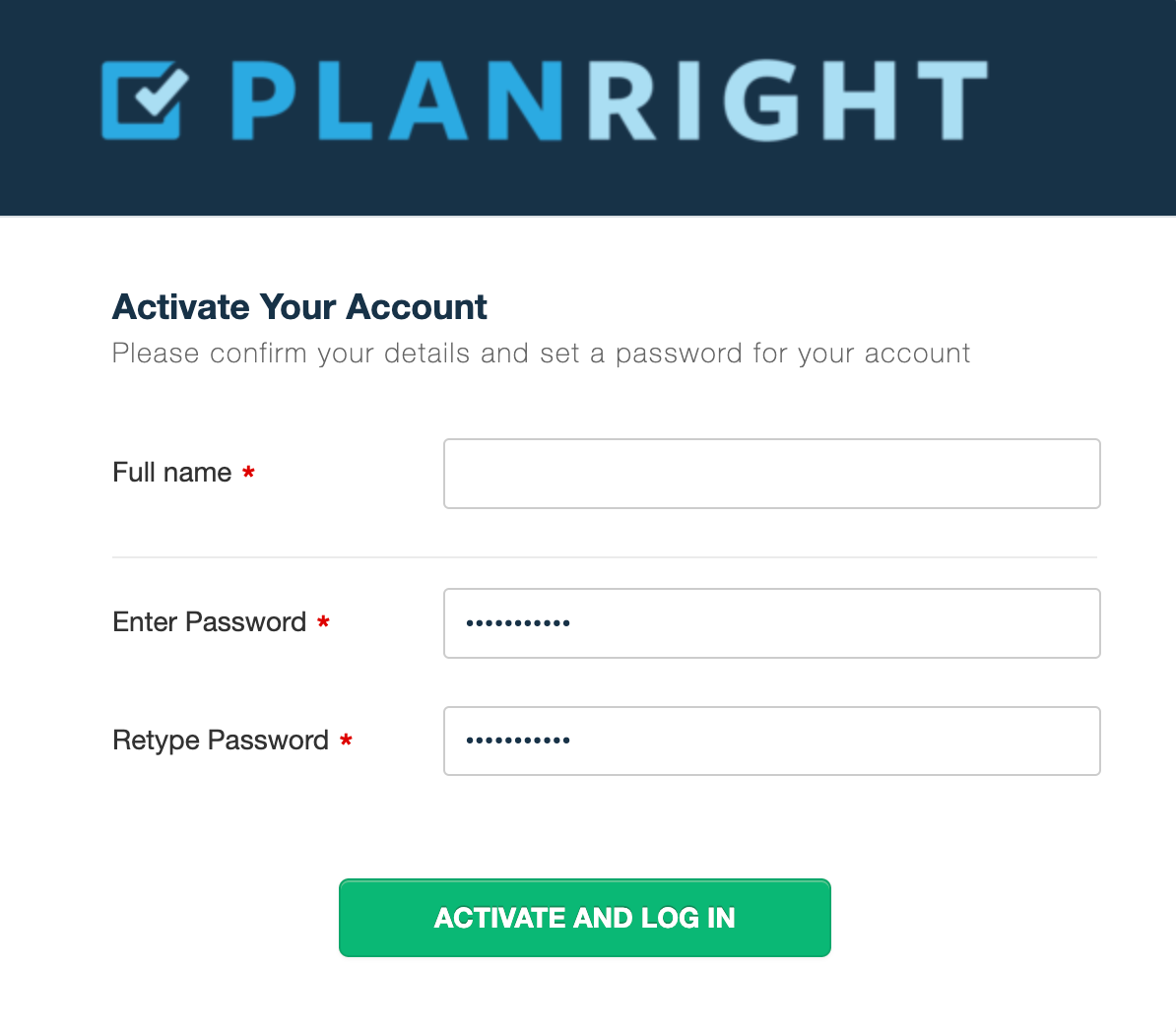
Enter your name and create a secure password for your log in. 

Click on “Activate and Log In”.


Was this article helpful?

That’s Great!

Thank you for your feedback

Sorry! We couldn't be helpful

Thank you for your feedback

Let us know how can we improve this article!

Select at least one of the reasons
CAPTCHA verification is required.

Feedback sent

We appreciate your effort and will try to fix the article